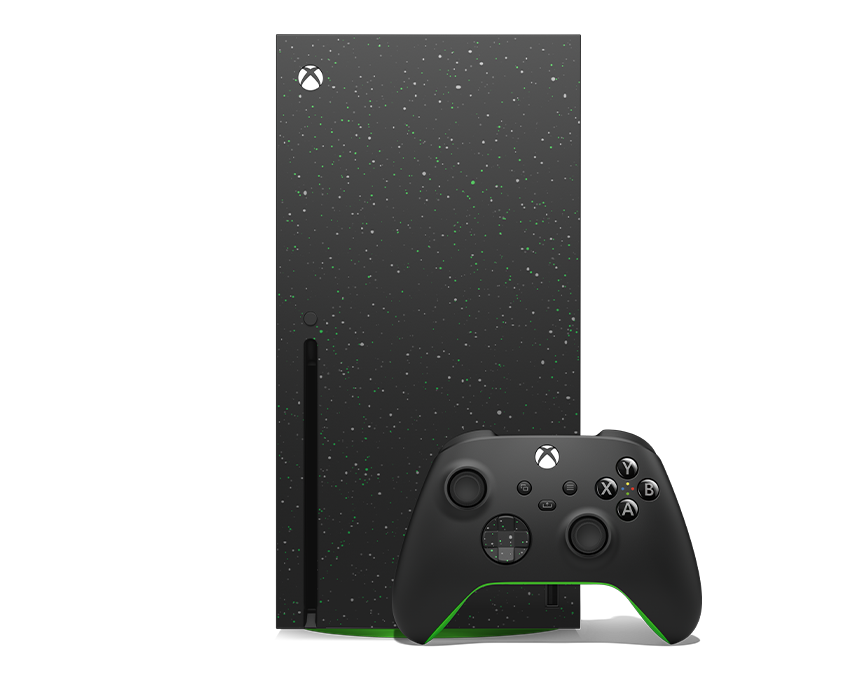
Whether you own an Xbox Series X, Series S, or even the Xbox One, the monitor you choose affects not just your visuals — but also your reaction time, immersion, and overall performance. This comprehensive Xbox monitor buying guide will help you understand what specs really matter, how to choose the right monitor for your Xbox model, and which features are worth paying for.
1. Why a Monitor Matters More Than a TV for Xbox
While TVs are great for cinematic gaming, monitors offer lower input lag, faster response times, and smoother refresh rates. This is crucial for competitive shooters, racing, and fast-paced games.
Key Benefits of Gaming Monitors for Xbox:
Low Input Lag: React faster and gain a competitive edge.
Sharper Motion Clarity: Especially noticeable in 120Hz gaming.
Adaptive Sync (FreeSync): Eliminates screen tearing and stutter.
Better Ergonomics: Adjustable stands, compact size, and desk-friendly setup.
2. Key Specs to Look for in an Xbox Monitor
Let’s break down the most important specifications that affect your Xbox gaming experience.
ResolutionXbox Series X: Go for 4K (3840×2160) for maximum detail and HDR quality.
Xbox Series S: 1440p (QHD) is the sweet spot — sharp visuals without overkill.
Older Xbox models: 1080p monitors are sufficient and more affordable.
Refresh RateThe higher the refresh rate, the smoother the motion.
120Hz is perfect for modern Xbox consoles.
60Hz is acceptable for casual or budget gaming.
Response TimeLook for 1ms to 5ms response time to reduce ghosting and motion blur.
HDR (High Dynamic Range)HDR enhances color, brightness, and contrast. Choose HDR10-certified monitors for true Xbox compatibility.
HDMI PortHDMI 2.1 = 4K @ 120Hz
HDMI 2.0 = 4K @ 60Hz or 1440p @ 120Hz
If your monitor has DisplayPort only, make sure it includes HDMI 2.0/2.1 support for Xbox consoles.
Variable Refresh Rate (VRR) / FreeSyncThis feature synchronizes the Xbox frame rate with your monitor’s refresh rate — eliminating screen tearing and stutter. Both FreeSync Premium and G-Sync Compatible monitors work well with Xbox.
You Can Also Use Our Monitor Finder Tool To Find the Best Monitor For Your Needs.
Here is a list of the Best Monitors for Xbox Series X/S :
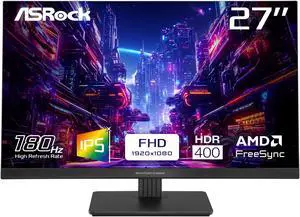

PG27FFT1B

Size

27 Inch

Panel Type
IPS

Brightness
450 nits

Resolution
1920 x 1080

Response Time
1 Milliseconds

Refresh Rate
180 Hz

Aspect Ratio
16:9

Bit Depth
8 Bits

Pros
- Perfect for Competitive/Pro Gaming
- High Brightness for Daylight/Well-Lit Room Use
- High Refresh Rate for Better Gameplay and Better Motion Clarity
- Low Response Time for Smooth Gameplay and Motion Blur (Ghosting) Reduction
- Supports Flicker-Free Technology to Reduce Eye Strain
- Anti-Glare Surface to Reduce Reflections
- Supports AMD FreeSync for Smooth Gameplay & Screen Tearing Reduction for AMD GPUs
- High Color Accuracy
- Built-In Speakers
- High Dynamic Range for Better Contrast & Brightness Levels
- Support VESA Mount for Wall/Arm Mounting
- Tilt Adjustment for Ergonomic Viewing
- IPS Panel for Accurate Color Reproduction

Cons
- No Power Delivery Support for Charging Devices
- Lacks G-Sync for Smooth Gameplay & Screen Tearing Reduction
- Lacks Built-In Camera
- Low Pixel Density That May Result in Less Sharp Image Quality & Text Clarity
- Lacks Height Adjustment for Ergonomic Viewing
- Lacks Swivel Adjustment for Ergonomic Viewing





GS25F2
Size
24.5 Inch
Panel Type
IPS
Brightness
300 nits
Resolution
1920 x 1080
Response Time
1 Milliseconds
Refresh Rate
200 Hz
Aspect Ratio
16:9
Bit Depth
8 Bits
Pros
- High Brightness for Daylight/Well-Lit Room Use
- High Refresh Rate for Better Gameplay and Better Motion Clarity
- Low Response Time for Smooth Gameplay and Motion Blur (Ghosting) Reduction
- Anti-Glare Surface to Reduce Reflections
- High Color Accuracy
- Built-In Speakers
- High Dynamic Range for Better Contrast & Brightness Levels
- Support VESA Mount for Wall/Arm Mounting
- Tilt Adjustment for Ergonomic Viewing
- IPS Panel for Accurate Color Reproduction
Cons
- No Power Delivery Support for Charging Devices
- Lacks Flicker-Free Technology for Eye Strain Reduction
- Lacks G-Sync for Smooth Gameplay & Screen Tearing Reduction
- Lacks FreeSync for Smooth Gameplay & Screen Tearing Reduction for AMD GPUs
- Lacks Built-In Camera
- Low Pixel Density That May Result in Less Sharp Image Quality & Text Clarity
- Lacks Height Adjustment for Ergonomic Viewing
- Lacks Swivel Adjustment for Ergonomic Viewing

G25F2
Size
24.5 Inch
Panel Type
IPS
Brightness
300 nits
Resolution
1920 x 1080
Response Time
1 Milliseconds
Refresh Rate
200 Hz
Aspect Ratio
16:9
Bit Depth
8 Bits
Pros
- Perfect for Competitive/Pro Gaming
- High Brightness for Daylight/Well-Lit Room Use
- High Refresh Rate for Better Gameplay and Better Motion Clarity
- Low Response Time for Smooth Gameplay and Motion Blur (Ghosting) Reduction
- Supports Flicker-Free Technology to Reduce Eye Strain
- Anti-Glare Surface to Reduce Reflections
- Supports AMD FreeSync for Smooth Gameplay & Screen Tearing Reduction for AMD GPUs
- High Color Accuracy
- Built-In Speakers
- High Dynamic Range for Better Contrast & Brightness Levels
- Support VESA Mount for Wall/Arm Mounting
- Tilt Adjustment for Ergonomic Viewing
- Height Adjustment for Ergonomic Viewing
- Swivel Adjustment for Ergonomic Viewing
- IPS Panel for Accurate Color Reproduction
Cons
- No Power Delivery Support for Charging Devices
- Lacks G-Sync for Smooth Gameplay & Screen Tearing Reduction
- Lacks Built-In Camera
- Low Pixel Density That May Result in Less Sharp Image Quality & Text Clarity


KG251Q Z1biip
Size
24.5 Inch
Panel Type
VA
Brightness
250 nits
Resolution
1920 x 1080
Response Time
1 Milliseconds
Refresh Rate
280 Hz
Aspect Ratio
16:9
Bit Depth
8 Bits
Pros
- Perfect for Competitive/Pro Gaming
- High Refresh Rate for Better Gameplay and Better Motion Clarity
- Low Response Time for Smooth Gameplay and Motion Blur (Ghosting) Reduction
- Supports Flicker-Free Technology to Reduce Eye Strain
- Anti-Glare Surface to Reduce Reflections
- Supports AMD FreeSync for Smooth Gameplay & Screen Tearing Reduction for AMD GPUs
- High Dynamic Range for Better Contrast & Brightness Levels
- Support VESA Mount for Wall/Arm Mounting
- Tilt Adjustment for Ergonomic Viewing
Cons
- No Power Delivery Support for Charging Devices
- Low Brightness : Not Ideal for Daylight/Well-Lit Room Use
- Lacks G-Sync for Smooth Gameplay & Screen Tearing Reduction
- Lacks Built-In Camera
- Lacks Built-In Speakers
- Low Pixel Density That May Result in Less Sharp Image Quality & Text Clarity
- Lacks Height Adjustment for Ergonomic Viewing
- Lacks Swivel Adjustment for Ergonomic Viewing


27GS50F
Size
27 Inch
Panel Type
VA
Brightness
250 nits
Resolution
1920 x 1080
Response Time
5 Milliseconds
Refresh Rate
180 Hz
Aspect Ratio
16:9
Bit Depth
8 Bits
Pros
- Perfect for Competitive/Pro Gaming
- High Refresh Rate for Better Gameplay and Better Motion Clarity
- Low Response Time for Smooth Gameplay and Motion Blur (Ghosting) Reduction
- Supports Flicker-Free Technology to Reduce Eye Strain
- Anti-Glare Surface to Reduce Reflections
- Supports G-Sync for Smooth Gameplay & Screen Tearing Reduction for NVIDIA GPUs
- Supports AMD FreeSync for Smooth Gameplay & Screen Tearing Reduction for AMD GPUs
- High Dynamic Range for Better Contrast & Brightness Levels
- Support VESA Mount for Wall/Arm Mounting
- Tilt Adjustment for Ergonomic Viewing
Cons
- No Power Delivery Support for Charging Devices
- Low Brightness : Not Ideal for Daylight/Well-Lit Room Use
- Lacks Built-In Camera
- Lacks Built-In Speakers
- Low Pixel Density That May Result in Less Sharp Image Quality & Text Clarity
- Lacks Height Adjustment for Ergonomic Viewing
- Lacks Swivel Adjustment for Ergonomic Viewing

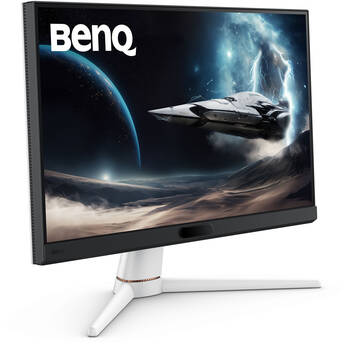

EX251
Size
24.5 Inch
Panel Type
IPS
Brightness
400 nits
Resolution
1920 x 1080
Response Time
1 Milliseconds
Refresh Rate
220 Hz
Aspect Ratio
16:9
Bit Depth
8 Bits
Pros
- Supports Power Delivery for Charging Devices
- Perfect for Competitive/Pro Gaming
- High Brightness for Daylight/Well-Lit Room Use
- High Refresh Rate for Better Gameplay and Better Motion Clarity
- Low Response Time for Smooth Gameplay and Motion Blur (Ghosting) Reduction
- Supports Flicker-Free Technology to Reduce Eye Strain
- Anti-Glare Surface to Reduce Reflections
- Supports AMD FreeSync for Smooth Gameplay & Screen Tearing Reduction for AMD GPUs
- High Color Accuracy
- Built-In Speakers
- High Dynamic Range for Better Contrast & Brightness Levels
- Support VESA Mount for Wall/Arm Mounting
- Tilt Adjustment for Ergonomic Viewing
- IPS Panel for Accurate Color Reproduction
Cons
- Lacks G-Sync for Smooth Gameplay & Screen Tearing Reduction
- Lacks Built-In Camera
- Low Pixel Density That May Result in Less Sharp Image Quality & Text Clarity
- Lacks Height Adjustment for Ergonomic Viewing
- Lacks Swivel Adjustment for Ergonomic Viewing

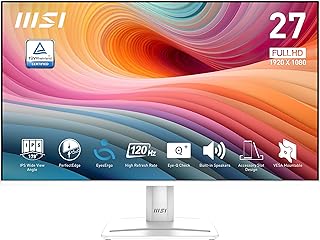

Pro MP275W E2
Size
27 Inch
Panel Type
IPS
Brightness
300 nits
Resolution
1920 x 1080
Response Time
1 Milliseconds
Refresh Rate
120 Hz
Aspect Ratio
16:9
Bit Depth
8 Bits
Pros
- High Brightness for Daylight/Well-Lit Room Use
- High Refresh Rate for Better Gameplay and Better Motion Clarity
- Low Response Time for Smooth Gameplay and Motion Blur (Ghosting) Reduction
- Anti-Glare Surface to Reduce Reflections
- High Color Accuracy
- Built-In Speakers
- High Dynamic Range for Better Contrast & Brightness Levels
- Support VESA Mount for Wall/Arm Mounting
- Tilt Adjustment for Ergonomic Viewing
- IPS Panel for Accurate Color Reproduction
Cons
- No Power Delivery Support for Charging Devices
- Lacks Flicker-Free Technology for Eye Strain Reduction
- Lacks G-Sync for Smooth Gameplay & Screen Tearing Reduction
- Lacks FreeSync for Smooth Gameplay & Screen Tearing Reduction for AMD GPUs
- Lacks Built-In Camera
- Low Pixel Density That May Result in Less Sharp Image Quality & Text Clarity
- Lacks Height Adjustment for Ergonomic Viewing
- Lacks Swivel Adjustment for Ergonomic Viewing




C27G4ZH
Size
27 Inch
Panel Type
VA
Brightness
300 nits
Resolution
1920 x 1080
Response Time
0.3 Milliseconds
Refresh Rate
280 Hz
Aspect Ratio
16:9
Bit Depth
8 Bits
Pros
- High Brightness for Daylight/Well-Lit Room Use
- High Refresh Rate for Better Gameplay and Better Motion Clarity
- Low Response Time for Smooth Gameplay and Motion Blur (Ghosting) Reduction
- Anti-Glare Surface to Reduce Reflections
- High Dynamic Range for Better Contrast & Brightness Levels
- Support VESA Mount for Wall/Arm Mounting
- Tilt Adjustment for Ergonomic Viewing
- Height Adjustment for Ergonomic Viewing
- Swivel Adjustment for Ergonomic Viewing
Cons
- No Power Delivery Support for Charging Devices
- Lacks Flicker-Free Technology for Eye Strain Reduction
- Lacks G-Sync for Smooth Gameplay & Screen Tearing Reduction
- Lacks FreeSync for Smooth Gameplay & Screen Tearing Reduction for AMD GPUs
- Lacks Built-In Camera
- Lacks Built-In Speakers
- Low Pixel Density That May Result in Less Sharp Image Quality & Text Clarity
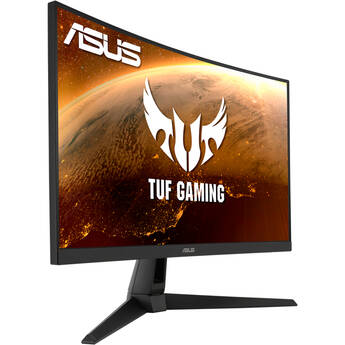

TUF Gaming VG27VH1B
Size
27 Inch
Panel Type
VA
Brightness
250 nits
Resolution
1920 x 1080
Response Time
1 Milliseconds
Refresh Rate
165 Hz
Aspect Ratio
16:9
Bit Depth
8 Bits
Pros
- Perfect for Competitive/Pro Gaming
- High Refresh Rate for Better Gameplay and Better Motion Clarity
- Low Response Time for Smooth Gameplay and Motion Blur (Ghosting) Reduction
- Supports Flicker-Free Technology to Reduce Eye Strain
- Anti-Glare Surface to Reduce Reflections
- Supports AMD FreeSync for Smooth Gameplay & Screen Tearing Reduction for AMD GPUs
- Built-In Speakers
- High Dynamic Range for Better Contrast & Brightness Levels
- Support VESA Mount for Wall/Arm Mounting
- Tilt Adjustment for Ergonomic Viewing
- Swivel Adjustment for Ergonomic Viewing
Cons
- No Power Delivery Support for Charging Devices
- Low Brightness : Not Ideal for Daylight/Well-Lit Room Use
- Lacks G-Sync for Smooth Gameplay & Screen Tearing Reduction
- Lacks Built-In Camera
- Low Pixel Density That May Result in Less Sharp Image Quality & Text Clarity
- Lacks Height Adjustment for Ergonomic Viewing
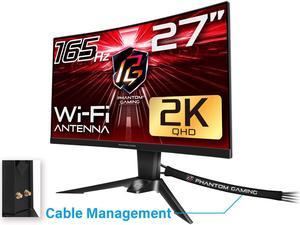
PG27Q15R2A
Size
27 Inch
Panel Type
VA
Brightness
550 nits
Resolution
2560 x 1440
Response Time
1 Milliseconds
Refresh Rate
165 Hz
Aspect Ratio
16:9
Bit Depth
8 Bits
Pros
- Perfect for Competitive/Pro Gaming
- High Brightness for Daylight/Well-Lit Room Use
- High Refresh Rate for Better Gameplay and Better Motion Clarity
- Low Response Time for Smooth Gameplay and Motion Blur (Ghosting) Reduction
- Supports Flicker-Free Technology to Reduce Eye Strain
- Anti-Glare Surface to Reduce Reflections
- High Resolution for Sharp Image Quality
- Supports AMD FreeSync for Smooth Gameplay & Screen Tearing Reduction for AMD GPUs
- Built-In Speakers
- High Dynamic Range for Better Contrast & Brightness Levels
- Support VESA Mount for Wall/Arm Mounting
- Tilt Adjustment for Ergonomic Viewing
- Height Adjustment for Ergonomic Viewing
- Swivel Adjustment for Ergonomic Viewing
Cons
- No Power Delivery Support for Charging Devices
- Lacks G-Sync for Smooth Gameplay & Screen Tearing Reduction
- Lacks Built-In Camera