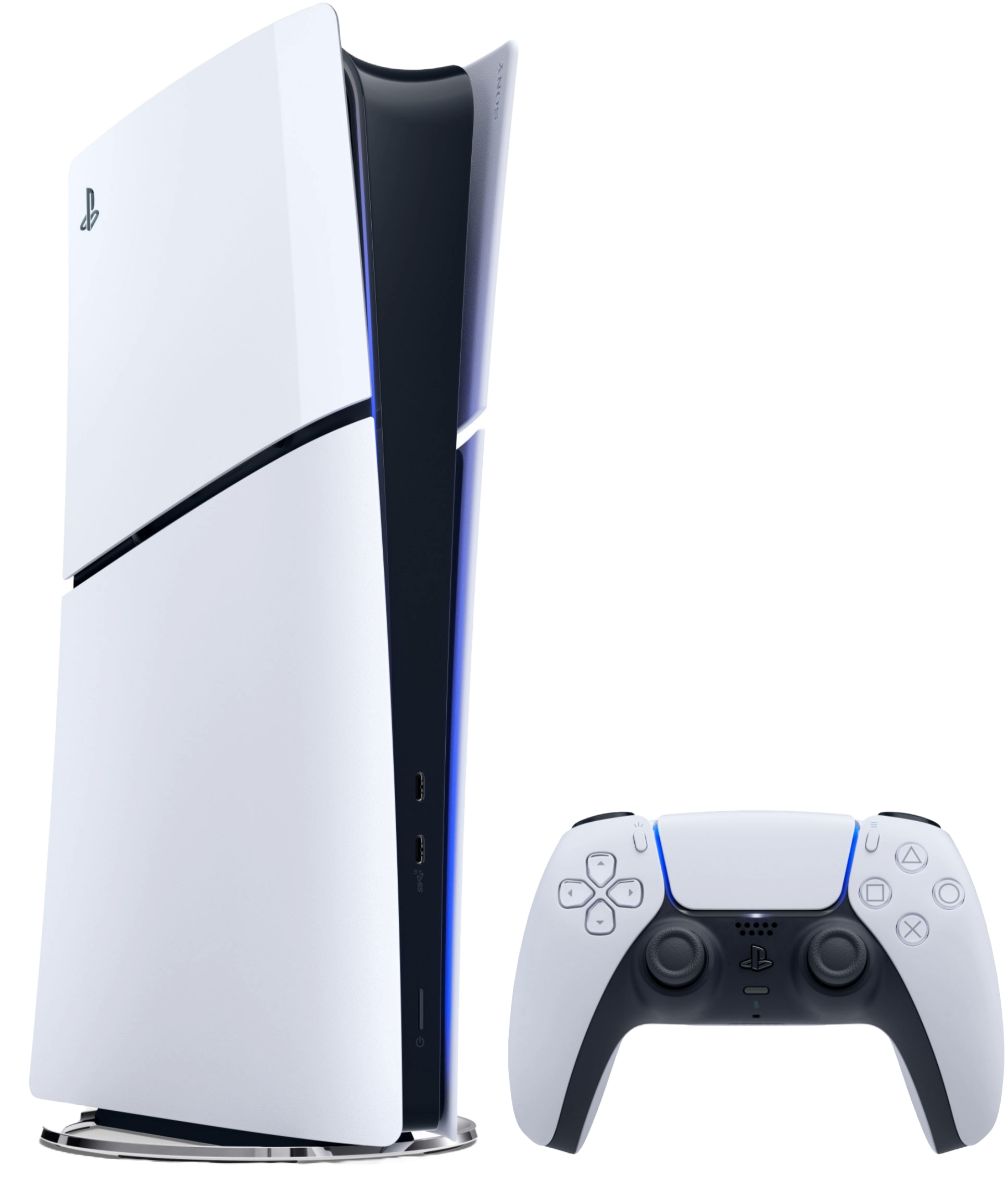
The PlayStation 5 (PS5) offers an extraordinary gaming experience, and choosing the right monitor can elevate that experience even further. However, with so many options available, selecting the best monitor can be a bit overwhelming. While specific models come and go, there are certain key features that will consistently make a monitor an excellent fit for the PS5.
You Can Also Use Our Monitor Finder Tool To Find the Best Monitor For Your Needs.
What to Look for in a Gaming Monitor
1. 4K Resolution
The PS5 is designed to deliver stunning visuals, and one of its hallmark features is its ability to run games in 4K. If you want to fully experience the graphical fidelity the PS5 offers, a monitor with 4K resolution is essential. Look for monitors with a 3840x2160 resolution to enjoy the highest level of detail in your games. Whether you're exploring vast open worlds or engaging in high-octane action, 4K makes everything look sharper and more immersive.
2. 120Hz Refresh Rate
The PS5 supports up to 120 frames per second (FPS) in certain games. This means a monitor with a refresh rate of 120Hz (or higher) will allow you to experience those ultra-smooth frames in fast-paced games. Monitors with higher refresh rates reduce motion blur and enhance gameplay fluidity, which is especially important for competitive gaming. If you're a fan of fast-action shooters or racing games, this is a feature you definitely want to prioritize.
3. HDMI 2.1 Compatibility
HDMI 2.1 is a must-have feature for the PS5. It supports higher resolutions and frame rates, allowing for 4K at 120Hz without sacrificing quality. Additionally, HDMI 2.1 brings benefits like Variable Refresh Rate (VRR) and Auto Low Latency Mode (ALLM), both of which ensure that your gaming experience remains smooth and lag-free. Be sure to check that the monitor has at least one HDMI 2.1 port for seamless connectivity.
4. Low Input Lag
Input lag is the delay between pressing a button on your controller and seeing the action happen on the screen. For gaming, especially in competitive scenarios, you want this to be as low as possible. Monitors with input lag below 5ms are generally ideal for gaming, offering near-instantaneous feedback that can make all the difference in fast-paced situations.
5. HDR Support
High Dynamic Range (HDR) can make a huge difference in how your games look. With HDR, games can display a wider range of colors and improved contrast, resulting in more vivid and lifelike visuals. The PS5 supports HDR, so look for a monitor that can take advantage of this feature. Ideally, you’ll want one with a high brightness rating (around 400 nits or more) and a wide color gamut to fully enjoy HDR content.
6. Panel Type
Monitors come with different types of panels, and the one you choose can affect the gaming experience. The three main types are IPS, TN, and VA:
IPS (In-Plane Switching): Best for color accuracy and wide viewing angles. It’s a great option if you want vibrant visuals and plan to use the monitor for both gaming and content creation or media consumption. TN (Twisted Nematic): Known for its fast response times, TN panels are ideal for competitive gamers who prioritize speed over image quality. VA (Vertical Alignment): Offers good contrast and deeper blacks, making it a solid middle ground between IPS and TN. VA panels are well-suited for gamers who enjoy immersive single-player experiences.
7. Screen Size
The optimal screen size for gaming depends on your personal preferences and setup. For a desktop gaming experience, a 27-32 inch monitor is often the sweet spot, offering plenty of screen real estate without overwhelming your field of view. If you prefer gaming from a distance, like on a couch setup, you might consider going up to 40 inches or more.
8. Aspect Ratio
While most PS5 games are designed for the standard 16:9 aspect ratio, ultrawide monitors with a 21:9 aspect ratio can offer a more immersive experience for certain types of games. However, not all games natively support ultrawide resolutions, so it’s something to consider if you’re looking for a more cinematic experience in single-player games.
9. Built-in Speakers and Audio Options
Many gamers prefer using headsets, but if you enjoy playing with external sound, having decent built-in speakers is a plus. Some monitors come with built-in speakers, but the sound quality is often basic. If you're an audiophile or want a more immersive audio experience, ensure that the monitor has audio output options, such as a 3.5mm jack or optical audio output, for easy connectivity with external speakers or soundbars.
10. Ergonomics and Adjustability
Long gaming sessions mean you’ll want to be comfortable. A monitor with adjustable height, tilt, and swivel functions can help you find the perfect viewing angle, preventing strain on your neck and eyes. Look for a monitor that offers good ergonomics, especially if you’ll be using it for extended gaming sessions or working at the same desk.
Final Thoughts
The best monitor for your PS5 ultimately depends on your gaming needs, setup, and preferences. Prioritize features like 4K resolution, 120Hz refresh rate, HDMI 2.1 compatibility, and low input lag to make the most of the PS5's capabilities. With the right monitor, you’ll be able to experience your games in all their glory—whether you're diving into stunning open worlds or competing in fast-paced multiplayer arenas. or you can use the Our tool to find the best one for you.
Here is a list of the Best Monitors for PS5 :
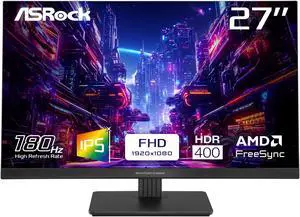

PG27FFT1B

Size

27 Inch

Panel Type
IPS

Brightness
450 nits

Resolution
1920 x 1080

Response Time
1 Milliseconds

Refresh Rate
180 Hz

Aspect Ratio
16:9

Bit Depth
8 Bits

Pros
- Perfect for Competitive/Pro Gaming
- High Brightness for Daylight/Well-Lit Room Use
- High Refresh Rate for Better Gameplay and Better Motion Clarity
- Low Response Time for Smooth Gameplay and Motion Blur (Ghosting) Reduction
- Supports Flicker-Free Technology to Reduce Eye Strain
- Anti-Glare Surface to Reduce Reflections
- Supports AMD FreeSync for Smooth Gameplay & Screen Tearing Reduction for AMD GPUs
- High Color Accuracy
- Built-In Speakers
- High Dynamic Range for Better Contrast & Brightness Levels
- Support VESA Mount for Wall/Arm Mounting
- Tilt Adjustment for Ergonomic Viewing
- IPS Panel for Accurate Color Reproduction

Cons
- No Power Delivery Support for Charging Devices
- Lacks G-Sync for Smooth Gameplay & Screen Tearing Reduction
- Lacks Built-In Camera
- Low Pixel Density That May Result in Less Sharp Image Quality & Text Clarity
- Lacks Height Adjustment for Ergonomic Viewing
- Lacks Swivel Adjustment for Ergonomic Viewing





GS25F2
Size
24.5 Inch
Panel Type
IPS
Brightness
300 nits
Resolution
1920 x 1080
Response Time
1 Milliseconds
Refresh Rate
200 Hz
Aspect Ratio
16:9
Bit Depth
8 Bits
Pros
- High Brightness for Daylight/Well-Lit Room Use
- High Refresh Rate for Better Gameplay and Better Motion Clarity
- Low Response Time for Smooth Gameplay and Motion Blur (Ghosting) Reduction
- Anti-Glare Surface to Reduce Reflections
- High Color Accuracy
- Built-In Speakers
- High Dynamic Range for Better Contrast & Brightness Levels
- Support VESA Mount for Wall/Arm Mounting
- Tilt Adjustment for Ergonomic Viewing
- IPS Panel for Accurate Color Reproduction
Cons
- No Power Delivery Support for Charging Devices
- Lacks Flicker-Free Technology for Eye Strain Reduction
- Lacks G-Sync for Smooth Gameplay & Screen Tearing Reduction
- Lacks FreeSync for Smooth Gameplay & Screen Tearing Reduction for AMD GPUs
- Lacks Built-In Camera
- Low Pixel Density That May Result in Less Sharp Image Quality & Text Clarity
- Lacks Height Adjustment for Ergonomic Viewing
- Lacks Swivel Adjustment for Ergonomic Viewing

G25F2
Size
24.5 Inch
Panel Type
IPS
Brightness
300 nits
Resolution
1920 x 1080
Response Time
1 Milliseconds
Refresh Rate
200 Hz
Aspect Ratio
16:9
Bit Depth
8 Bits
Pros
- Perfect for Competitive/Pro Gaming
- High Brightness for Daylight/Well-Lit Room Use
- High Refresh Rate for Better Gameplay and Better Motion Clarity
- Low Response Time for Smooth Gameplay and Motion Blur (Ghosting) Reduction
- Supports Flicker-Free Technology to Reduce Eye Strain
- Anti-Glare Surface to Reduce Reflections
- Supports AMD FreeSync for Smooth Gameplay & Screen Tearing Reduction for AMD GPUs
- High Color Accuracy
- Built-In Speakers
- High Dynamic Range for Better Contrast & Brightness Levels
- Support VESA Mount for Wall/Arm Mounting
- Tilt Adjustment for Ergonomic Viewing
- Height Adjustment for Ergonomic Viewing
- Swivel Adjustment for Ergonomic Viewing
- IPS Panel for Accurate Color Reproduction
Cons
- No Power Delivery Support for Charging Devices
- Lacks G-Sync for Smooth Gameplay & Screen Tearing Reduction
- Lacks Built-In Camera
- Low Pixel Density That May Result in Less Sharp Image Quality & Text Clarity


KG251Q Z1biip
Size
24.5 Inch
Panel Type
VA
Brightness
250 nits
Resolution
1920 x 1080
Response Time
1 Milliseconds
Refresh Rate
280 Hz
Aspect Ratio
16:9
Bit Depth
8 Bits
Pros
- Perfect for Competitive/Pro Gaming
- High Refresh Rate for Better Gameplay and Better Motion Clarity
- Low Response Time for Smooth Gameplay and Motion Blur (Ghosting) Reduction
- Supports Flicker-Free Technology to Reduce Eye Strain
- Anti-Glare Surface to Reduce Reflections
- Supports AMD FreeSync for Smooth Gameplay & Screen Tearing Reduction for AMD GPUs
- High Dynamic Range for Better Contrast & Brightness Levels
- Support VESA Mount for Wall/Arm Mounting
- Tilt Adjustment for Ergonomic Viewing
Cons
- No Power Delivery Support for Charging Devices
- Low Brightness : Not Ideal for Daylight/Well-Lit Room Use
- Lacks G-Sync for Smooth Gameplay & Screen Tearing Reduction
- Lacks Built-In Camera
- Lacks Built-In Speakers
- Low Pixel Density That May Result in Less Sharp Image Quality & Text Clarity
- Lacks Height Adjustment for Ergonomic Viewing
- Lacks Swivel Adjustment for Ergonomic Viewing


27GS50F
Size
27 Inch
Panel Type
VA
Brightness
250 nits
Resolution
1920 x 1080
Response Time
5 Milliseconds
Refresh Rate
180 Hz
Aspect Ratio
16:9
Bit Depth
8 Bits
Pros
- Perfect for Competitive/Pro Gaming
- High Refresh Rate for Better Gameplay and Better Motion Clarity
- Low Response Time for Smooth Gameplay and Motion Blur (Ghosting) Reduction
- Supports Flicker-Free Technology to Reduce Eye Strain
- Anti-Glare Surface to Reduce Reflections
- Supports G-Sync for Smooth Gameplay & Screen Tearing Reduction for NVIDIA GPUs
- Supports AMD FreeSync for Smooth Gameplay & Screen Tearing Reduction for AMD GPUs
- High Dynamic Range for Better Contrast & Brightness Levels
- Support VESA Mount for Wall/Arm Mounting
- Tilt Adjustment for Ergonomic Viewing
Cons
- No Power Delivery Support for Charging Devices
- Low Brightness : Not Ideal for Daylight/Well-Lit Room Use
- Lacks Built-In Camera
- Lacks Built-In Speakers
- Low Pixel Density That May Result in Less Sharp Image Quality & Text Clarity
- Lacks Height Adjustment for Ergonomic Viewing
- Lacks Swivel Adjustment for Ergonomic Viewing

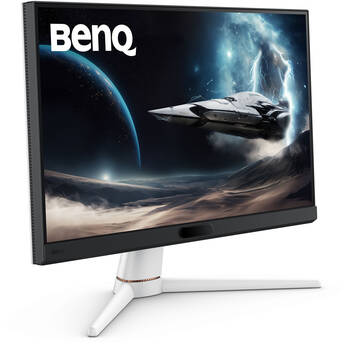

EX251
Size
24.5 Inch
Panel Type
IPS
Brightness
400 nits
Resolution
1920 x 1080
Response Time
1 Milliseconds
Refresh Rate
220 Hz
Aspect Ratio
16:9
Bit Depth
8 Bits
Pros
- Supports Power Delivery for Charging Devices
- Perfect for Competitive/Pro Gaming
- High Brightness for Daylight/Well-Lit Room Use
- High Refresh Rate for Better Gameplay and Better Motion Clarity
- Low Response Time for Smooth Gameplay and Motion Blur (Ghosting) Reduction
- Supports Flicker-Free Technology to Reduce Eye Strain
- Anti-Glare Surface to Reduce Reflections
- Supports AMD FreeSync for Smooth Gameplay & Screen Tearing Reduction for AMD GPUs
- High Color Accuracy
- Built-In Speakers
- High Dynamic Range for Better Contrast & Brightness Levels
- Support VESA Mount for Wall/Arm Mounting
- Tilt Adjustment for Ergonomic Viewing
- IPS Panel for Accurate Color Reproduction
Cons
- Lacks G-Sync for Smooth Gameplay & Screen Tearing Reduction
- Lacks Built-In Camera
- Low Pixel Density That May Result in Less Sharp Image Quality & Text Clarity
- Lacks Height Adjustment for Ergonomic Viewing
- Lacks Swivel Adjustment for Ergonomic Viewing

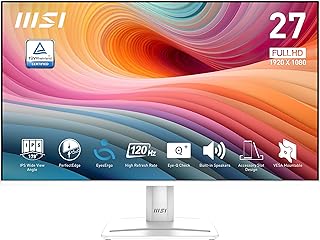

Pro MP275W E2
Size
27 Inch
Panel Type
IPS
Brightness
300 nits
Resolution
1920 x 1080
Response Time
1 Milliseconds
Refresh Rate
120 Hz
Aspect Ratio
16:9
Bit Depth
8 Bits
Pros
- High Brightness for Daylight/Well-Lit Room Use
- High Refresh Rate for Better Gameplay and Better Motion Clarity
- Low Response Time for Smooth Gameplay and Motion Blur (Ghosting) Reduction
- Anti-Glare Surface to Reduce Reflections
- High Color Accuracy
- Built-In Speakers
- High Dynamic Range for Better Contrast & Brightness Levels
- Support VESA Mount for Wall/Arm Mounting
- Tilt Adjustment for Ergonomic Viewing
- IPS Panel for Accurate Color Reproduction
Cons
- No Power Delivery Support for Charging Devices
- Lacks Flicker-Free Technology for Eye Strain Reduction
- Lacks G-Sync for Smooth Gameplay & Screen Tearing Reduction
- Lacks FreeSync for Smooth Gameplay & Screen Tearing Reduction for AMD GPUs
- Lacks Built-In Camera
- Low Pixel Density That May Result in Less Sharp Image Quality & Text Clarity
- Lacks Height Adjustment for Ergonomic Viewing
- Lacks Swivel Adjustment for Ergonomic Viewing




C27G4ZH
Size
27 Inch
Panel Type
VA
Brightness
300 nits
Resolution
1920 x 1080
Response Time
0.3 Milliseconds
Refresh Rate
280 Hz
Aspect Ratio
16:9
Bit Depth
8 Bits
Pros
- High Brightness for Daylight/Well-Lit Room Use
- High Refresh Rate for Better Gameplay and Better Motion Clarity
- Low Response Time for Smooth Gameplay and Motion Blur (Ghosting) Reduction
- Anti-Glare Surface to Reduce Reflections
- High Dynamic Range for Better Contrast & Brightness Levels
- Support VESA Mount for Wall/Arm Mounting
- Tilt Adjustment for Ergonomic Viewing
- Height Adjustment for Ergonomic Viewing
- Swivel Adjustment for Ergonomic Viewing
Cons
- No Power Delivery Support for Charging Devices
- Lacks Flicker-Free Technology for Eye Strain Reduction
- Lacks G-Sync for Smooth Gameplay & Screen Tearing Reduction
- Lacks FreeSync for Smooth Gameplay & Screen Tearing Reduction for AMD GPUs
- Lacks Built-In Camera
- Lacks Built-In Speakers
- Low Pixel Density That May Result in Less Sharp Image Quality & Text Clarity
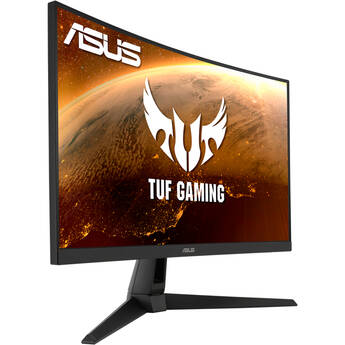

TUF Gaming VG27VH1B
Size
27 Inch
Panel Type
VA
Brightness
250 nits
Resolution
1920 x 1080
Response Time
1 Milliseconds
Refresh Rate
165 Hz
Aspect Ratio
16:9
Bit Depth
8 Bits
Pros
- Perfect for Competitive/Pro Gaming
- High Refresh Rate for Better Gameplay and Better Motion Clarity
- Low Response Time for Smooth Gameplay and Motion Blur (Ghosting) Reduction
- Supports Flicker-Free Technology to Reduce Eye Strain
- Anti-Glare Surface to Reduce Reflections
- Supports AMD FreeSync for Smooth Gameplay & Screen Tearing Reduction for AMD GPUs
- Built-In Speakers
- High Dynamic Range for Better Contrast & Brightness Levels
- Support VESA Mount for Wall/Arm Mounting
- Tilt Adjustment for Ergonomic Viewing
- Swivel Adjustment for Ergonomic Viewing
Cons
- No Power Delivery Support for Charging Devices
- Low Brightness : Not Ideal for Daylight/Well-Lit Room Use
- Lacks G-Sync for Smooth Gameplay & Screen Tearing Reduction
- Lacks Built-In Camera
- Low Pixel Density That May Result in Less Sharp Image Quality & Text Clarity
- Lacks Height Adjustment for Ergonomic Viewing
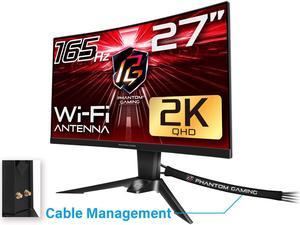
PG27Q15R2A
Size
27 Inch
Panel Type
VA
Brightness
550 nits
Resolution
2560 x 1440
Response Time
1 Milliseconds
Refresh Rate
165 Hz
Aspect Ratio
16:9
Bit Depth
8 Bits
Pros
- Perfect for Competitive/Pro Gaming
- High Brightness for Daylight/Well-Lit Room Use
- High Refresh Rate for Better Gameplay and Better Motion Clarity
- Low Response Time for Smooth Gameplay and Motion Blur (Ghosting) Reduction
- Supports Flicker-Free Technology to Reduce Eye Strain
- Anti-Glare Surface to Reduce Reflections
- High Resolution for Sharp Image Quality
- Supports AMD FreeSync for Smooth Gameplay & Screen Tearing Reduction for AMD GPUs
- Built-In Speakers
- High Dynamic Range for Better Contrast & Brightness Levels
- Support VESA Mount for Wall/Arm Mounting
- Tilt Adjustment for Ergonomic Viewing
- Height Adjustment for Ergonomic Viewing
- Swivel Adjustment for Ergonomic Viewing
Cons
- No Power Delivery Support for Charging Devices
- Lacks G-Sync for Smooth Gameplay & Screen Tearing Reduction
- Lacks Built-In Camera